
By the end of this post you’ll have two numbers for your business. The first is your cost per lead, which takes about two minutes to figure out. The second is your cost per qualified lead, which is the one that tells you whether your marketing is working.
Most guides stop at the first number. That’s a mistake, and we’ll get to why.
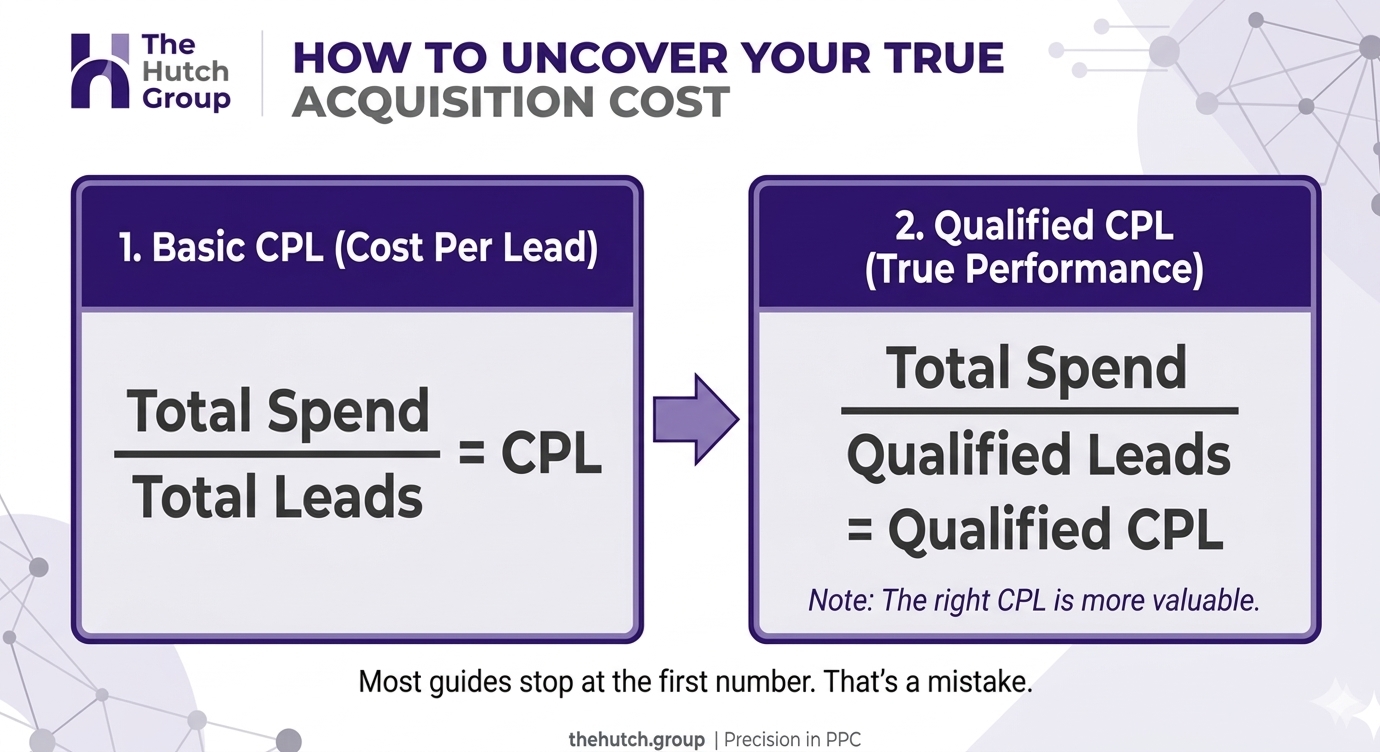
The cost per lead formula
Here’s the whole thing.
Cost per lead = total marketing spend ÷ number of leads
Spend $3,000 on Google Ads in a month, get 60 leads, and your cost per lead is $50. That’s it. You can do it on a napkin, and any cost per lead calculator you find online is running this same division.
The trouble is in what you put into the top and bottom of that fraction. So let’s go through both.
Decide what counts as spend
Start with the obvious part, the ad budget. What Google or Meta billed you for the period.
Then ask whether that’s the full cost. If an agency or freelancer manages the campaigns, their fee is part of what it costs to get a lead. So is any call tracking software you pay for only because of the campaigns, and any landing page tool. Leave these out and your number looks better than reality.
Our rule is simple. If you’d stop paying for it when you stopped running the campaign, it counts.
There are two fair ways to do it. Ad spend only gives you a “media cost per lead,” useful for comparing campaigns against each other. Fully loaded spend gives you the number you’d take to a CFO or a spouse who co-owns the business. Pick one, label it, and don’t switch halfway through the year.
Decide what counts as a lead
This is where most of the damage happens.
A “lead” in Google Ads is whatever you told it to count as a conversion. Often that’s every form submission and every click-to-call. Which means spam submissions count. Wrong-number calls count. The person asking if you’re hiring counts.
We’ve seen accounts reporting 200 leads where the sales team could point to maybe 30 real ones. Same spend. The first number says $15 a lead, the second says $100. Both are “correct” and only one is useful.
So before you divide anything, open your leads from the last 30 days and sort them honestly. Here’s a decent starting set of buckets.
- Spam or wrong number
- Existing customer or vendor
- Real person, not a fit (outside your service area, wrong service)
- Real person, real job
Only the last bucket is a qualified lead. This takes an hour the first time, and it’s the most valuable hour in this whole post.
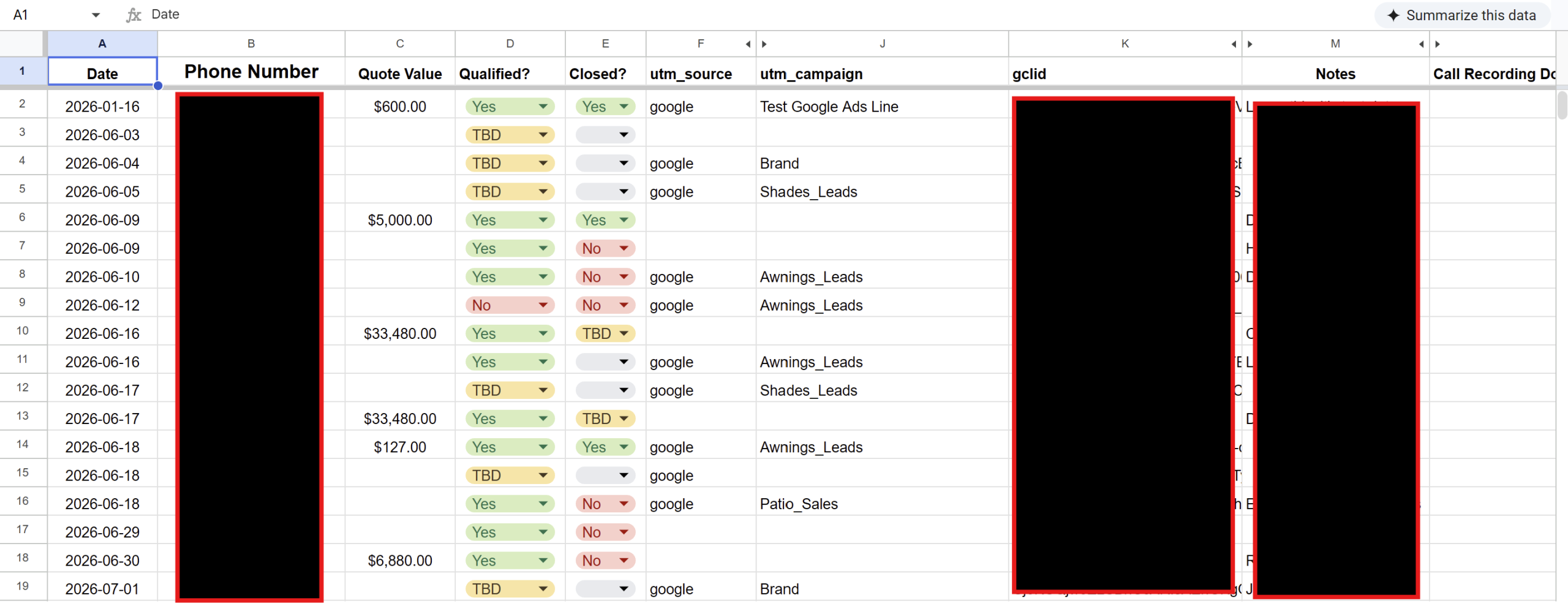
Run the numbers, twice
Say a plumbing company spends $4,000 in a month on Google Ads, plus $1,000 for the agency managing it. Total spend is $5,000. The dashboard shows 125 conversions.
Cost per lead is $5,000 ÷ 125 = $40.
Now sort those 125. Maybe 35 are spam or junk, 30 are people outside the service area or asking about something the company doesn’t do, and 60 are real jobs someone could quote.
Qualified cost per lead is $5,000 ÷ 60 = about $83.
Same month, same money. The “cost per lead” doubled the moment someone looked at what was in the pile. (This is a made-up example to show the math, but the pattern is very common, and your own numbers will tell you more than any benchmark.)
If you want a third number that matters even more, go one step further and divide by closed jobs. That’s cost per acquisition. If 15 of those 60 qualified leads became paying customers, you paid about $333 for each one. Whether that’s good depends entirely on what a customer is worth to you, which brings us to the next section.
Compare it to something that matters
A cost per lead of $83 means nothing on its own. It could be a bargain or a disaster.
Work backwards from the job. If the average plumbing repair is worth $450 in gross profit and you close one in four qualified leads, then each lead is worth about $112 to you. Paying $83 for it leaves room. Paying $150 doesn’t.
For a personal injury firm the same logic plays out at a totally different scale. Leads can run several hundred dollars, and it can still be a great deal if a signed case is worth tens of thousands. Is $400 a lot for a lead? Depends what a lead turns into.
This is why we push back on charts of “average cost per lead by industry.” They’re fine for a sanity check. They’re useless for deciding what you should pay. Your close rate and job value set your ceiling, not someone else’s average.
Pick a time window that matches your sales cycle
For a drain cleaning company, leads turn into revenue in a day or two, so monthly math works fine.
For a law firm or a remodeler, a lead in March might not sign until June. If you divide this month’s spend by this month’s closed work you’ll panic for no reason. Track by the month the lead came in, and let the outcomes fill in as they happen. It’s slower, and it’s the only version that’s honest.
Fix the tracking before you trust the math
None of this works if the leads aren’t being recorded properly. Check three things.
- Phone calls are tracked as their own conversions (call tracking from CallRail or similar, or Google forwarding numbers), with a minimum call length so a 4-second hangup doesn’t count.
- Form submissions fire a conversion only on the thank-you page or event, not on page load.
- Spam is being filtered out, or at least flagged, so it doesn’t inflate the count.
If your GA4 or Google Ads numbers and your inbox don’t roughly agree, stop and fix that first. Everything downstream is built on it. (We wrote a longer walkthrough on setting up Google Ads conversion tracking that counts real leads.)
How to reduce cost per lead without making it worse
Cutting cost per lead is easy. Cut your budget to the three cheapest keywords and the number will drop, and so will your business.
So reduce the right one. Reduce qualified cost per lead. In practice that usually means these moves.
- Adding negative keywords so you stop paying for job seekers and DIYers
- Tightening your service area so people outside it never see the ad
- Sending ad traffic to a page built for that one service, not your homepage
- Making the phone number and form impossible to miss on mobile
Notice that none of those are about getting more clicks. They’re about getting fewer wrong ones. A raw cost per lead might even go up while the qualified number drops, and that’s a good trade every time.
Questions people ask about cost per lead
What’s a good cost per lead? One that’s comfortably below what a lead is worth to you. Do the job-value math above and you’ll have your own number.
Is cost per lead the same as cost per acquisition? No. A lead is someone who raised their hand. An acquisition is someone who paid. Cost per acquisition is always higher and always closer to the truth.
How often should I calculate it? Monthly is enough for most small businesses. Weekly if you’re testing something new and want an early read.
Can I use a cost per lead calculator? Sure, but it’s just division. A spreadsheet with spend in one column and qualified leads in another does the same job, and you can keep it.
Do this today
Pull your last 30 days of leads, sort them into real and not real, and divide your total spend by the real ones. Write that number down somewhere you’ll see it. Then check next month’s number against it.
If it’s way higher than the figure your dashboard shows, you haven’t found a problem. You’ve found the first honest number you’ve had.
