
If you run a service business and you’re paying for marketing, you’ve almost certainly had this thought: “I think Google Ads is working… but I’m not totally sure where my calls are coming from.”
That’s the gap call tracking fills. It tells you which marketing channel produced the call that rang your phone, so you can spend more on what works and stop spending on what doesn’t.
Most of the search results for “call tracking for small business” are either software vendors trying to sell you their tool or thin blog posts that read like a sales sheet. We’ve set call tracking up for home service companies, law firms, and small healthcare practices, so this is the version we’d want a friend running a service business to read first. No vendor pitch. Just what it does, how to pick a tool, and how to avoid the mistakes that quietly break it.
What call tracking actually does
Call tracking is one specific thing: it ties an inbound phone call to the marketing source that made the phone ring.
In a typical setup, you publish different phone numbers in different places, or your website swaps the number on the page based on how the visitor arrived. When someone calls one of those numbers, the system records:
- Which channel sent them (Google Ads, organic search, Facebook, your Google Business Profile, a billboard, etc.)
- Which campaign or keyword, when applicable
- The caller’s number, the time, the duration, and a recording (if you turn it on)
Then it forwards the call to your real business line so the customer experience is identical. They dial the number on your ad. You answer. They never knew there was a tracking number in between.
That single piece of data, the source, is what turns marketing from a guess into a decision. Without it, you’re staring at “we got 60 calls last month, I think most came from Google” and hoping you’re right. With it, you’re looking at “42 calls came from Google Ads at a $48 cost-per-call, 11 came from organic search, and 7 came from the Facebook campaign we almost canceled.” Now you have something to act on.
How call tracking works (without the jargon)
There are two ways tracking numbers get assigned, and the difference matters more than people realize.
Dynamic Number Insertion (DNI)
This is the version most agencies use for digital channels. A small piece of JavaScript on your website looks at how the visitor arrived (the referrer, the UTM parameters, the click ID from Google Ads) and swaps the visible phone number on the page with a tracking number tied to that source.
Someone clicks your Google Ads ad, the script swaps in tracking number A. Someone arrives from organic search, the script swaps in tracking number B. Same page, different visitors, different numbers.
DNI uses a “pool” of numbers, usually 5 to 20 of them, that rotate through visitors. The system holds a number to a visitor for about 30 minutes so they can call after they leave the page. Done well, it’s invisible. Done poorly, it shows the wrong number, or worse, no number at all when JavaScript fails.
Static numbers per channel
For offline channels, like a billboard, a yard sign, a print ad, or a vehicle wrap, you don’t need DNI. You assign one tracking number per channel and print it on that asset. Anyone who calls that number came from that source.
Most service businesses need both. DNI on the website for digital channels, plus a static number for each offline placement.
What to look for in a call tracking tool
There are a lot of tools in this space. The ones we’ve used or set up most often are CallRail, CallTrackingMetrics, and WhatConverts. They’re all solid. We’re not going to pick a favorite here because the right answer depends on your stack.
What actually matters when you’re picking one:
Integrations with what you already use. If you live in Google Ads and Google Analytics 4, the tool needs to push call data into both, with the call counted as a conversion. If you use HubSpot or another CRM, calls should land there as leads. The cheap tools without these integrations are not actually cheap. You’ll just rebuild the integration manually every month.
Local numbers in your service area. Toll-free numbers feel less trustworthy to a lot of customers, especially for local services. Make sure the provider has plenty of local numbers in your area codes.
Recording and transcription. Worth paying for. We’ll explain why in the next section.
Smart routing. Useful if you have multiple offices or want after-hours calls to go to a different line. Not essential if you’re a single location.
Price that scales with calls, not seats. A pool of 10 tracking numbers and 200 calls a month should cost roughly $50 to $100. If a vendor is quoting you $400 for that volume, walk away.
What doesn’t matter as much as vendors will tell you: AI-powered “lead scoring,” conversation intelligence dashboards, fancy reporting suites. These are nice. They’re not the reason to buy.
Setting it up without breaking your SEO or call quality
Three things tend to go sideways during setup, and they’re all worth getting right the first time.
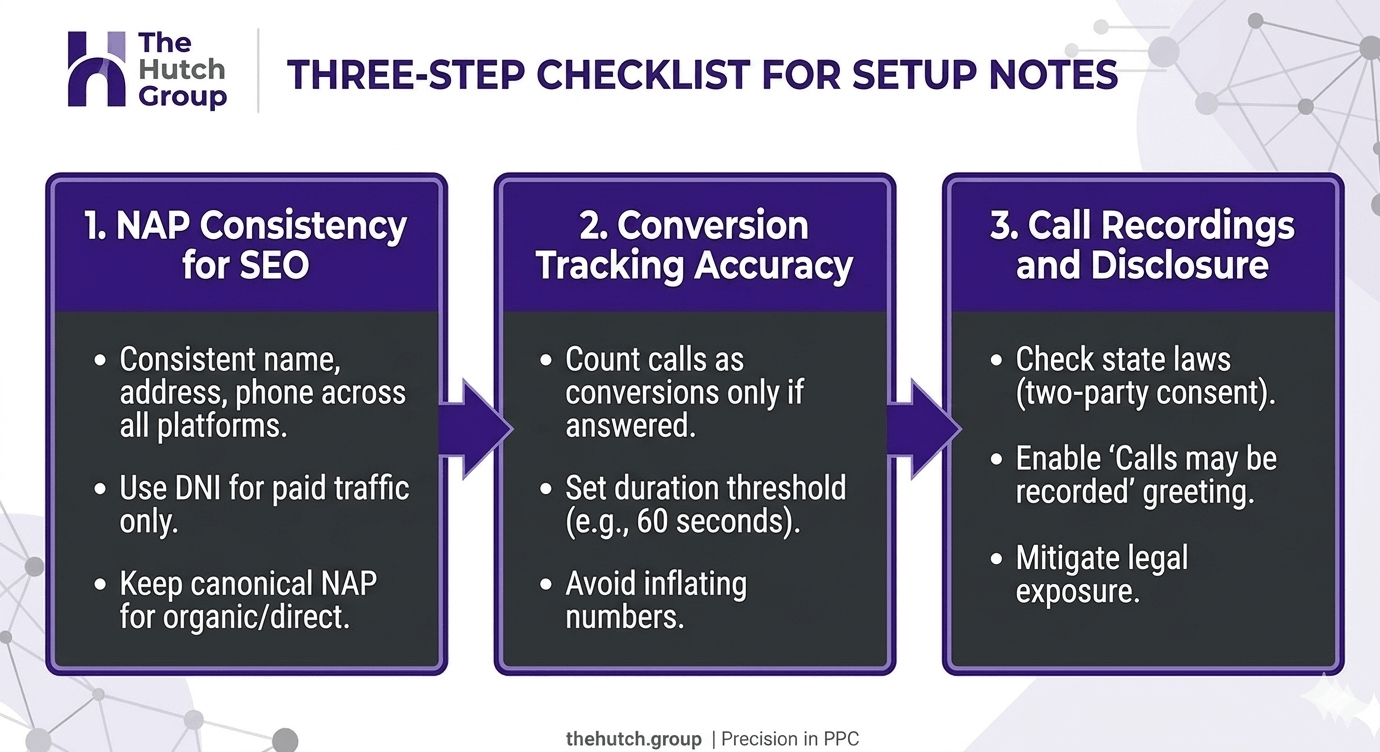
- NAP consistency for SEO. Your business name, address, and phone number (“NAP”) needs to be consistent across your Google Business Profile, your website, and your local citations. If you swap your real number for a tracking number across all of those, you can confuse Google’s local ranking signals.
The fix: keep your real phone number on your Google Business Profile and on the structured data (schema markup) on your site. Use DNI to display tracking numbers to website visitors arriving from paid or referred traffic, but leave the canonical NAP intact for organic and direct visitors. Most call tracking tools have a setting for exactly this. Turn it on.
- Conversion tracking accuracy. A call should count as a conversion in Google Ads only if the call was answered and lasted long enough to be a real conversation, usually 60 seconds. Counting every call as a conversion will inflate your numbers and skew your bidding strategy. Set a duration threshold from day one.
- Call recordings and disclosure. If you record calls, your state may require you to disclose it to the caller. Some states are “two-party consent” (California, Florida, Pennsylvania, and others), meaning both sides have to know. The fix is a one-line greeting at the start of every call, “Calls may be recorded for quality and training purposes,” handled by the tracking tool itself. It takes 30 seconds to enable. Skipping it can create real legal exposure.
What we’ve actually seen across service businesses
A few patterns we run into over and over:
Roughly 30 to 40% of inbound calls to service businesses come from a channel the owner didn’t expect. A roofing company we worked with was about to cut their Facebook ads because they “weren’t generating leads.” Once we put call tracking in place, it turned out Facebook was producing 18% of their booked jobs. People saw the ad, didn’t click, and called the number directly later. Without tracking, they would have killed a profitable channel.
Most “no answer” calls are missed revenue, not missed marketing. Across the home services accounts we’ve audited, an average of 20 to 30% of inbound paid calls go unanswered. That’s not a tracking problem. That’s an answering problem. But you only see it because tracking shows you the unanswered call volume by hour.
Call quality varies wildly by keyword. Two Google Ads keywords with the same cost-per-call can produce wildly different real leads. One sends people who actually need the service. The other sends tire-kickers and wrong-number calls. Call tracking with recordings is what surfaces that. Then you adjust bids accordingly.
This is the “revenue attribution down to the cent” piece that gets talked about a lot in agency marketing. The tracking is the boring foundation that makes any of it possible.
When call tracking isn’t worth it (yet)
Call tracking is not free in time or attention. If any of these are true, set it up later:
- You’re getting fewer than 20 calls a month. The data won’t be statistically meaningful, and the cost-per-call insight isn’t actionable yet.
- Your phone never gets answered. Fix the answering problem before you spend on the tracking layer. (Hire a receptionist, get an answering service, or set up a callback flow.)
- You don’t run any paid marketing. If 100% of your calls come from word of mouth and Google Maps, you have less to optimize. Put the budget into improving the website and Google Business Profile first.
Call tracking pays off when you have enough call volume that small percentage shifts add up to real money, and when you have enough marketing channels that knowing the source matters.
A simple starting setup
If you’ve decided to move ahead, here’s the lean version we’d set up for a small home services or healthcare practice on day one:
- Pick one of the established tools (CallRail, CallTrackingMetrics, or WhatConverts). Sign up for the smallest plan with at least 10 tracking numbers.
- Install DNI on your website with one source pool covering all paid channels (Google Ads, Facebook, organic, direct, referral). The tool’s setup wizard will walk you through it.
- Assign one static tracking number per offline channel: yard signs, vehicle wraps, billboards, printed flyers, mailers. Print or display each number with the right placement.
- Connect the tool to Google Ads, GA4, and your CRM. Set call duration threshold to 60 seconds for conversions.
- Turn on call recording with the standard “calls may be recorded” greeting.
- Leave it alone for 30 days. Then review what you actually got.
That sixth step is the one most owners skip. Don’t dig into the data on day three and start making changes. Let it run a month. The patterns get clearer the longer it runs.
The bottom line
Call tracking for small business doesn’t need to be complicated, and it doesn’t need to cost much. Pick a tool that integrates with the platforms you already use, set it up without breaking your local SEO, and let it run long enough to see real patterns.
The point isn’t fancy dashboards. It’s answering one question with confidence: where is my next customer actually coming from? Once you know that, every other marketing decision gets easier.
If you’re a service business owner running multiple channels and you’ve never had a clear answer to that question, that’s the gap to close.
